
Affinity Designer for mac:
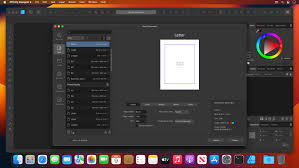
Affinity Designer for mac is a professional vector and raster graphic design application built for creating high-quality digital artwork. It is widely used for UI/UX design, branding, illustration, icon design, marketing graphics, and concept art.
Platform & Performance:
Affinity Designer is optimized for macOS and takes full advantage of Apple technologies such as Metal acceleration, multi-core CPUs, and system memory optimization. This results in smooth zooming, real-time rendering, and responsive performance even when working with complex documents.
The application supports:
-
macOS Full Screen mode
-
Spaces and Mission Control
-
iCloud file synchronization
-
Retina display optimization
User Interface & Workflow:
The interface is modern, clean, and highly customizable. Users can:
-
Dock or float panels
-
Create custom workspaces
-
Switch instantly between Vector Persona and Pixel Persona
-
Use keyboard shortcuts and snapping guides for precision work
This dual-persona workflow allows designers to combine vector accuracy with pixel-level detail in a single document without switching applications.
Design & Drawing Capabilities:
Affinity Designer includes a complete set of vector tools such as:
-
Pen and Node tools
-
Shape and Boolean operations
-
Advanced gradient and fill controls
-
Text and typography tools
-
Symbols and reusable assets
For raster-based work, it offers professional pixel tools including:
-
Paint and pixel brushes
-
Lasso and selection brushes
-
Smudge, blur, dodge, burn, and sharpen tools
-
Non-destructive pixel editing within vector objects
Stylus and tablet support enables pressure-sensitive strokes, variable opacity, and natural brush behavior, making it suitable for illustrators and digital artists.
Color Management & Precision:
Affinity Designer supports multiple color spaces, making it suitable for both digital and print projects:
-
RGB
-
CMYK
-
LAB
-
Greyscale
It also includes:
-
Advanced color profiles
-
Real-time pixel preview
-
Accurate alignment and snapping tools
-
Grid and guide customization
File Compatibility & Export Options:
The software supports a wide range of industry-standard formats, allowing easy collaboration with other tools:
-
Import: AI, PSD, PDF, SVG, EPS
-
Export: PNG, JPG, TIFF, PDF, SVG, EPS
Designers can export:
-
Individual layers
-
Selected objects
-
Artboards or slices
-
Standard and Retina (HiDPI) assets
Typical Use Cases:
Affinity Designer is commonly used for:
-
Website and mobile app design
-
Logo and brand identity creation
-
Icon and UI asset design
-
Social media and marketing graphics
-
Digital illustration and concept art
-
Print-ready materials
Licensing & Availability:
Affinity Designer is available as a one-time purchase with no subscription requirement. Updates within the same major version are typically included, making it a cost-effective alternative to subscription-based design software.
Leave a Reply