
Affinity Publisher for mac :
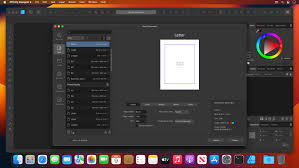
Affinity Publisher for mac is a powerful desktop publishing application built for creating high-quality print and digital layouts. Designed for speed, precision, and creative freedom, it allows you to seamlessly combine text, images, and vector graphics into polished, publication-ready designs.
Whether you’re producing magazines, books, brochures, posters, business reports, or branded stationery, Affinity Publisher provides the professional tools needed to deliver visually consistent and print-accurate results.
Key Capabilities:
-
Multi-page and facing-page layouts for books, magazines, and catalogs
-
Dynamic master pages, including reusable and nested masters for fast global edits
-
Linked text frames that automatically flow content across pages
-
Advanced typography controls, including styles, OpenType features, baseline grids, and text scaling
-
Image frames with smart fitting and scaling options
-
Text wrapping with precise spacing and contour control
-
Custom text paths and shaped text frames for creative layouts
-
Flexible tables with custom formatting and reusable table styles
Precision & Layout Control:
-
Customizable grids, guides, margins, and snapping tools
-
Accurate alignment and distribution tools for professional composition
-
Support for bleed, trim, crop marks, and spreads
Professional Output & Compatibility:
-
Full CMYK, RGB, grayscale, and spot color support
-
Industry-standard PDF/X export for commercial printing
-
High-resolution export for print and optimized output for digital publishing
-
Built-in preflight checks to detect layout and print issues before export
Integrated Workflow:
-
Seamless compatibility with Affinity Photo and Affinity Designer through a unified workspace
-
Edit images and vector elements directly without leaving your layout
-
Non-destructive editing ensures flexibility throughout the design process
Performance & Usability:
-
Optimized for smooth performance, even with large documents
-
Clean, intuitive interface suitable for beginners and professionals alike
-
Works offline with no subscriptions required
Ideal For:
-
Graphic designers
-
Publishers and editors
-
Marketing teams
-
Small businesses and freelancers
-
Students and educators
Leave a Reply