
iCalamus for mac:
iCalamus for mac is a powerful desktop publishing (DTP) application for mac that enables you to create high-quality documents combining text, photos, graphics, and complex layout elements. It is designed for both beginners and professionals who need full creative control without being restricted by predefined templates.
Built natively for macOS using Apple’s Cocoa framework, iCalamus delivers high performance, modern system integration, and a smooth user experience.
Key Capabilities:
-
Flexible Layout Creation:
Design everything from simple flyers, posters, and business letters to complex magazines, books, calendars, and scientific publications. -
Photo Books & Calendars:
Even the unregistered version allows you to design professional photo books and calendars and order high-quality printed products through the integrated Photographerbook printing service. -
Broad Import Support:
Import all image and text formats supported by macOS, including:-
Photos from digital cameras and scanners
-
Images from iPhoto libraries
-
PDF documents and entire web pages
-
Text content extracted directly from large PDF files
-
-
Advanced Frame & Masking Tools:
Create complex layouts using customizable frames, advanced masking options, and dynamic frame shapes that adapt to your design needs. -
Precise Professional Controls:
Work with accurate measurement units, alignment tools, and virtual copies that allow you to edit multiple layout elements simultaneously. -
Unicode & PDF Support:
Full Unicode support ensures multilingual text handling, while smart PDF import simplifies editing and reuse of existing documents. -
Printing & Export Options:
Print using any macOS-supported printer or export documents to multiple PDF formats, including PDF/X, encrypted PDFs, and fax-compatible PDFs.
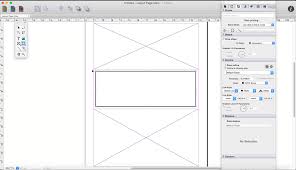
Modular & Future-Ready Architecture:
iCalamus is built as a modular system, allowing new features to be added through external modules. An Open Development Area (ODA) enables third-party developers to extend functionality through plug-ins, ensuring long-term growth and flexibility.
Designed for macOS:
-
Native Objective-C development
-
Optimized for Apple’s Cocoa libraries
-
Fast performance and low learning curve
-
Clean, logical user interface for quick productivity
Ideal For:
-
Graphic designers
-
Publishers & editors
-
Educators & researchers
-
Small businesses
-
Anyone needing professional document layout on Mac
Leave a Reply