
Live Home 3D Pro for mac:
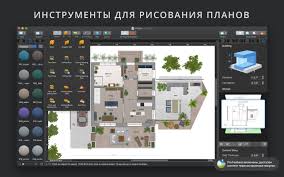
Live Home 3D Pro for mac is a powerful and easy-to-use home design application created for homeowners, architects, interior designers, and real-estate professionals. It allows users to design detailed floor plans and instantly visualize them in a realistic 3D environment. As the advanced version of Live Interior 3D, the Pro edition includes professional-grade tools, higher export quality, and advanced visualization features.
Core Features:
2D Planning & Drafting:
-
Design accurate 2D floor plans with precise measurements
-
Draw rooms, straight or curved walls, and structural elements
-
View live dimensions for walls, floors, and ceilings
-
Choose from multiple unit systems (feet, inches, meters, etc.)
-
Smart snapping and alignment guides for exact placement
-
Advanced elevation view for vertical layouts (Pro)
Real-Time 3D Visualization:
-
Instant 3D rendering while editing in 2D or 3D
-
Walk through interiors using interactive navigation
-
Adjust lighting, materials, and objects in real time
-
Multiple camera angles for different viewpoints
-
Parallel and perspective camera modes (Pro)
-
Realistic shadows and lighting using professional shadow mapping
-
Geo-location based daylight simulation for natural lighting
Objects, Models & Materials:
-
Over 2,000 built-in furniture and décor models
-
More than 2,100 ready-to-use materials
-
Import 3D models from popular formats (OBJ, FBX, 3DS, DAE, KMZ, USDZ)
-
Drag-and-drop custom textures from your device
-
Advanced material editor with tile size calculation (Pro)
-
Block-based modeling for balconies, terraces, and custom shapes (Pro)
Roofs & Structural Elements:
-
Roof assistant with multiple editable roof templates
-
Fully customizable roof shapes (Pro)
-
Wide selection of dormers and roof segments
-
Create complex openings, corner windows, and architectural details
Export, Rendering & Sharing:
-
Export high-resolution images up to 16K
-
Create Ultra-HD video walkthroughs
-
Generate 360° panoramas and VR-ready content
-
Export models to professional 3D formats for further editing (Pro)
-
Share projects via email, cloud services, or social platforms
Additional Information:
Supported Platforms:
-
macOS
-
Windows
-
iOS (iPad / iPhone – limited compared to desktop)
Intended Users:
-
Homeowners planning renovations
-
Interior designers and decorators
-
Architects and building planners
-
Real estate agents and developers
-
Students and educators
Typical Use Case:s
-
Home renovation planning
-
Interior layout visualization
-
Furniture placement and styling
-
Real estate presentations
-
Client design previews
Export Quality:
-
Standard edition: High quality
-
Pro edition: Ultra-high resolution and professional formats
Internet Requirement:
-
Offline use supported
-
Internet required for downloads, updates, and online model libraries
Licensing:
-
One-time purchase (platform-specific)
-
No mandatory subscription
Why Choose Live Home 3D Pro?
-
Beginner-friendly with professional depth
-
Real-time 2D & 3D synchronization
-
High-quality rendering without complex setup
-
Ideal balance between simplicity and advanced tools
Leave a Reply