
Sketch for mac:
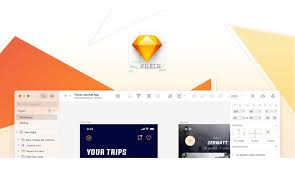
Sketch for mac is a professional vector-based design application created specifically for macOS. It is widely used by designers to create user interfaces, websites, icons, and digital products. With a clean interface and powerful design tools, Sketch focuses on speed, precision, and ease of use—making the design process efficient and enjoyable.
Core Design Capabilities:
Vector-Based Design
-
Create scalable designs using vector tools and editable shapes
-
Combine shapes using non-destructive boolean operations
-
Edit complex shapes at any time without losing flexibility
-
Smart pixel alignment for sharp, accurate designs
Advanced Layer Styling:
-
Apply multiple fills, borders, and shadows to a single layer
-
Use gradients, blending modes, noise, and background blur
-
Full control over layer appearance with real-time previews
Text & Typography:
-
Professional text tool with native font rendering
-
Accurate typography display across different resolutions
-
Easy resizing, alignment, and style management
Image Editing Tools:
-
Import and edit raster images inside your design
-
Scale, rotate, crop, mask, and transform images non-destructively
-
Combine vector and bitmap elements seamlessly
Symbols & Reusable Components:
-
Create reusable design components (Symbols)
-
Update shared elements once and sync changes across the document
-
Ideal for buttons, navigation bars, headers, and UI elements
Export & Asset Management:
-
Automatic slicing for faster asset generation
-
Export designs in multiple resolutions and formats
-
Optimized output for web, mobile, and interface design
macOS Integration:
-
Designed exclusively for macOS
-
Supports Auto Save and version history
-
iCloud sync for accessing projects across multiple Macs
-
Full-screen canvas mode for distraction-free work
Additional Information:
Supported Platform:
-
macOS only
File Formats:
-
Native Sketch format
-
Export to PNG, JPG, SVG, PDF, and more
Typical Use Cases:
-
UI and UX design
-
Website and landing page design
-
Mobile and desktop app interfaces
-
Icon and vector asset creation
-
Design system and component libraries
Target Users:
-
UI/UX designers
-
Web designers
-
Product designers
-
Design teams and agencies
Collaboration:
-
Share files for review and feedback
-
Compatible with third-party collaboration tools
Licensing:
-
Subscription-based license
-
Individual and team plans available
Internet Requirement:
-
Offline design supported
-
Internet required for updates, syncing, and cloud features
Why Choose Sketch?
-
Optimized for macOS performance
-
Clean, distraction-free interface
-
Powerful vector and UI-focused tools
-
Ideal for modern digital product design
Leave a Reply